Key takeaways (May 17, 2026)
- Notion’s Developer Platform expanded in 2026 with native AI agent surfaces inside Notion databases.
- Developers can build agents that read and write Notion content with scoped OAuth permissions.
- Pricing folds into the existing Notion AI add-on for paid workspaces.
- Best fit: knowledge-management automations where Notion is already the system of record.
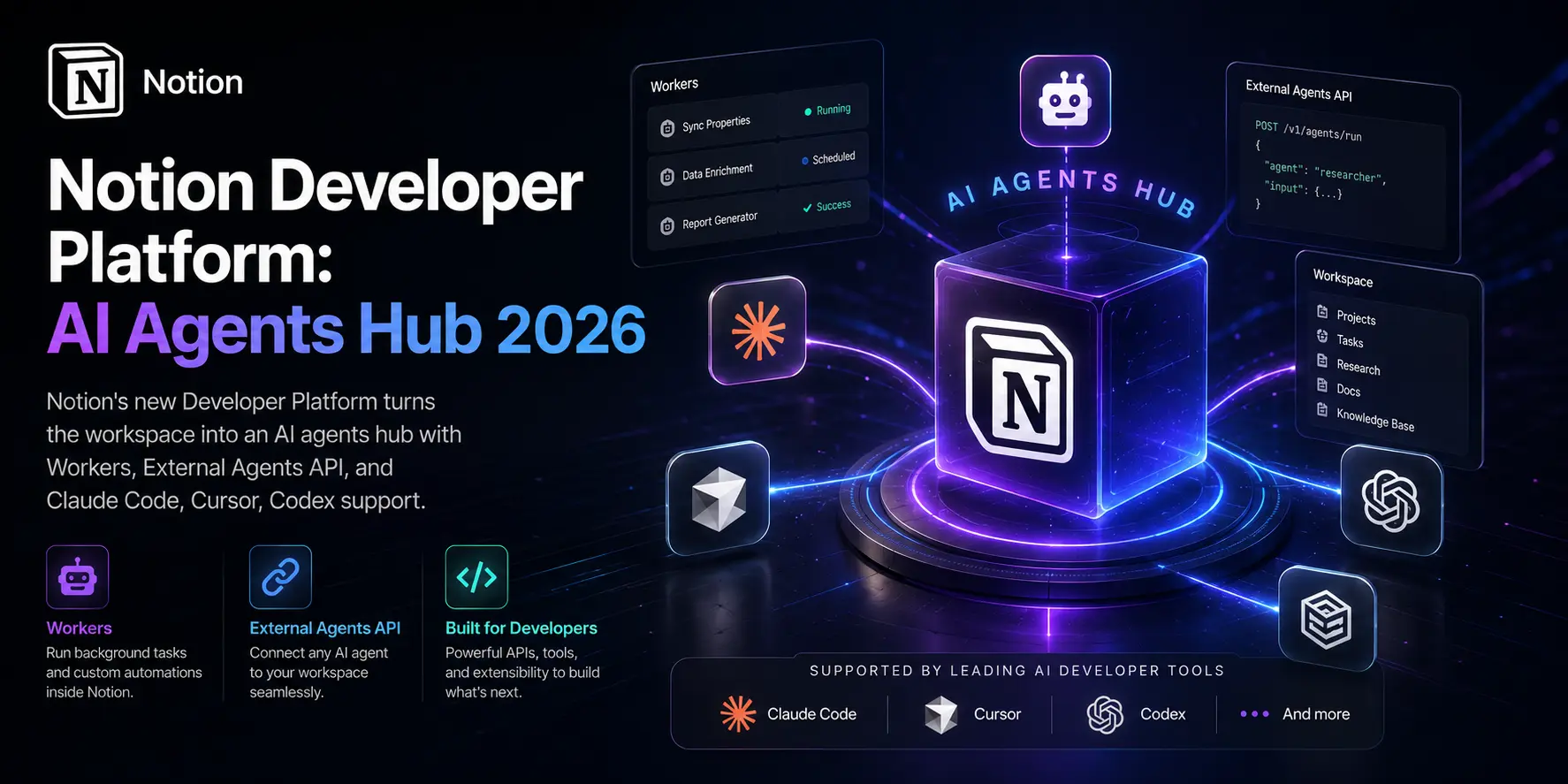
The Notion Developer Platform launched on May 13, 2026, and it does something none of the big workspace apps have managed yet. It turns the workspace itself into the agent runtime. Workers, an External Agents API, database sync, two-way webhooks, and a real CLI — all shipped together as Notion 3.5. If you build with AI agents for a living, this is one of the more interesting releases of the month, and it’s worth understanding before Google I/O 2026 launched Gemini Spark and drowned out everything else.
I’ve been poking at the beta for the last two days. Here’s what’s actually in the box, where it fits in the agent platform fight, and what I’d build with it first.
What Notion Shipped on May 13
The release is called Notion 3.5: Notion Developer Platform. Three big pieces and a handful of smaller ones, all on the official release notes for May 13, 2026:
- Notion Workers — a hosted runtime for custom code, deployed through the Notion CLI.
- External Agents API — bring agents like Claude Code, Cursor, Codex, and Decagon into Notion as first-class teammates.
- Database Sync — pull from any database with an API (Salesforce, Zendesk, Postgres, you name it) into Notion databases that stay current.
- Two-way webhooks — external services can now trigger Notion, not just the other way around.
- Notion CLI — the
ntncommand-line tool that ties it all together.
This isn’t a brand new direction. Notion launched Custom Agents in February 2026 and, according to the company, customers have built over 1 million Custom Agents in the three months since (covered well by TechCrunch on May 13 and analyzed in depth by InfoWorld’s coverage of the developer platform). 3.5 is the developer-shaped version of that bet: stop forcing teams to glue Notion to their own agent stack with brittle integrations, and instead give them a runtime that lives next to the docs.
If you’ve been reading along on the broader multi-agent AI systems shift in 2026, this should feel familiar. The pattern keeps repeating: the agent runtime moves closer to the data.
Notion Workers: Hosted Code with Real Isolation
The piece I care about most is Workers. Most “automation” tools in this category ship as no-code builders with maybe a JavaScript escape hatch. Notion Workers is the inverse — write the code, deploy it, run it on Notion’s infrastructure.
The deploy flow is short:
- Authenticate with
ntn login. - Write your code locally (or have a coding agent write it for you).
- Run
ntn deploy workerto push it to the hosted runtime. - Trigger it on a schedule, by webhook, or from inside an agent.
What surprised me when I read the Vercel blog post on how Notion Workers run untrusted code is the isolation model. Every Worker runs inside a Firecracker microVM on Vercel’s internal platform, code-named Hive. Each execution gets its own kernel, its own filesystem, its own network stack. That’s stronger than the container-based sandbox you get from most function-as-a-service products and it’s clearly built for the world where the code on the other side of your “execute” call was written by an LLM five seconds ago.
I tested deploying a tiny Worker that polls a public API every hour and writes the result to a Notion database. End to end, it took me about 20 minutes — most of that was reading docs, not fighting the CLI. The deploy command finished in under 10 seconds.
Where Workers Fit
There are three patterns Notion explicitly calls out:
- Third-party data sync — pull CRM records, analytics, support tickets into Notion on a schedule. This is the database sync feature, just programmable.
- Custom automations — branching workflows that don’t fit the no-code builder. Multi-step approvals, conditional notifications, anything you’d otherwise jury-rig in Zapier.
- AI agent tools — give your custom agent a fresh “tool” by writing the code for it. The agent calls the Worker the same way it’d call a built-in.
That third use case is the one that ties the whole platform together. Notion’s Custom Agents have always been able to take actions — what they couldn’t do before was take actions outside Notion’s first-party integration surface. Workers fix that. If your agent needs to call your internal billing API, you write a Worker that does it and the agent can use it like any other tool.
External Agents API: Claude Code, Cursor, Codex, Decagon
The second big piece is the External Agents API. The launch partners are interesting:
| Partner Agent | Strength | Typical Use Case |
|---|---|---|
| Claude Code | Multi-file coding, agentic loops | Refactors, feature implementation, code review |
| Cursor | Editor-integrated coding | Inline edits, IDE workflows |
| Codex | OpenAI’s coding agent | Repo-scale changes, parallel tasks |
| Decagon | Customer support agents | Ticket triage, response drafting |
| Notion Custom Agents | Workspace-native | Status updates, repetitive doc tasks |
You’ll notice three of the five external partners are coding agents. That tracks. The fastest way to get adoption from teams that already pay for AI is to meet them where they’re working — and right now, the AI coding agents space in 2026 is where the most committed agent users are spending their day.
In practice the pattern is: you @-mention an external agent inside a Notion page, you give it a task, it runs in its own environment, and the progress and results stream back into Notion. It looks like a normal Notion comment thread from the inside. The handoff is the magic part — the agent gets context from the page it was invoked on, so you don’t have to copy-paste a spec.
If you’ve already been using Notion as a spec-and-PRD home for your team (most product teams I’ve seen do this), this is a meaningful productivity unlock. The spec lives in Notion, the agent runs the spec, the output comes back to Notion. No tab-juggling.
There’s also an External Agents API in alpha for teams that want to bring their own agents — internally built, or agents from vendors not on the launch list. That matters more for enterprise buyers than it does for indie devs, but it signals where Notion’s heading: a neutral collaboration layer for whatever agents you happen to be running.
Database Sync and Two-Way Webhooks
These two get less attention than Workers and the agent API, but they’re load-bearing.
Database sync pulls data from any external system with an API into a Notion database. Notion lists Salesforce, Zendesk, and Postgres as examples, but the real story is that you can wire up anything you can hit with HTTP. The synced database stays current — Notion handles the refresh — so your agents and humans are always looking at the same numbers.
I’ve seen teams do a version of this with Zapier or Make.com for years. The difference here is latency and structure. Zapier-style automations are great for “when X happens, do Y” but terrible at “keep this entire 50,000-row CRM segment mirrored in Notion.” Database sync is built for the second pattern.
Two-way webhooks are subtler. Before 3.5, Notion could send a webhook out when a page changed — your other apps could react to Notion events. Now external apps can trigger Notion. A Worker receives the webhook, runs your logic, takes action in Notion. GitHub push event? Update a release database. Stripe charge succeeded? Create a customer onboarding page from a template.
This sounds like a small thing. It’s not. It closes the loop. Notion stops being a destination for data and becomes a participant in the event stream.
How This Stacks Against the Rest of the Agent Platform Market
The agent platform fight in May 2026 is crowded. Here’s how I’d map the major players right now:
| Platform | Core Bet | Where It Wins | Where It Loses |
|---|---|---|---|
| Notion Developer Platform | Workspace + agents in one surface | Teams already on Notion, doc-heavy workflows | If your team lives in Slack or Office, you’re swimming upstream |
| Microsoft Copilot Studio | Microsoft 365 lock-in | Enterprises all-in on Microsoft, $21/user/month (discounted $18 through June 2026) | Limited support for Notion, Slack, and Google Workspace |
| Slack agents | Conversational, channel-native | Teams with deep Slack adoption, support workflows | Less structure for long-running tasks |
| Dust | Multi-model, integration-heavy | Teams that want vendor-neutral, $29/user/month | Newer, smaller ecosystem than Notion’s |
| CrewAI | Multi-agent orchestration, code-first | Devs building agent teams from scratch | More framework than product |
Notion’s specific advantage is the document and database layer. The agent doesn’t just run somewhere and report back — it reads, writes, and edits on the same pages your team is already using. That’s a different mental model from “agent runs in a chat sidebar and pastes its output,” which is what most of the current crop offers.
The risk is the same as any workspace-bound bet: if your team isn’t already on Notion, the platform isn’t going to convince you to migrate. Notion knows this. The External Agents API is partly a hedge against exactly that — you can let your team’s existing agents come into Notion without abandoning the tools they like.
My recommendation: if you already pay for Notion at Business or Enterprise, set up at least one Worker this month. It’s free through August 11, and the credit-based pricing afterwards looks reasonable based on Notion’s published example calculations. If you don’t use Notion, this isn’t the reason to start, but it’s a reason to keep an eye on how the workspace category evolves.
Pricing and Availability
The economics matter, especially for teams thinking about agent budgets.
- CLI: available on all plans, including Free.
- Workers: public beta on Business and Enterprise plans. Free to use through August 11, 2026.
- After beta: Workers run on Notion credits. The same credit system as Custom Agents. Public price is $10 per 1,000 credits.
- Custom Agents: were free through May 3, 2026. Now require credits. Available as an add-on for Business and Enterprise.
Notion’s public examples on the Workers credit cost run from about 1 cent per month for a daily Jira pull to roughly $13 per month for ~9,800 runs. That’s cheap by enterprise-software standards but it’s also the price for a thin Worker that doesn’t call expensive LLMs. The moment your Worker invokes Claude Opus 4.7 on every run, the model cost is your dominant line item, not the Workers runtime.
What I’d Build First
If I were setting up this platform from scratch for a team today, I’d start small.
- One database sync — pick the system your team complains about checking the most (CRM, ticketing, analytics). Sync it into a Notion database. Two days of setup, immediate visibility.
- One scheduled Worker — daily digest of activity from a third-party system into a Notion page. The “morning briefing” pattern. Replaces a Slack bot or a manual report.
- One external agent connection — wire up Claude Code to Notion if you already have a Claude account. Use it on your engineering team’s spec pages. See whether the handoff actually feels natural before you generalize.
- One webhook trigger — pick an event from your existing systems (GitHub merge, Stripe event, Linear ticket close) and let it write into Notion automatically.
That’s a week of work for a single engineer who knows the company’s systems. The payoff is a Notion that’s no longer just a document store — it’s the actual operational surface.
What This Signals for the Agent Platform Race
The bigger story isn’t the features. It’s that the agent platform fight is collapsing into a turf war between the apps people already use. Microsoft is doubling down on Copilot Studio inside Office. Slack is layering agents into channels. Google is putting Gemini under every Android surface it can reach. Notion is making the document and database layer the runtime.
This is a much bigger shift than “another AI feature in another SaaS app.” It means the question for buyers isn’t “which agent should we use?” — it’s “which workspace are we standardizing on, and which agents does that workspace let in?”
The companies that figure out how to be a neutral host — keep their workspace, run anyone’s agents — are going to win the enterprise. Notion’s External Agents API plus partner deals with Anthropic, OpenAI, Cursor, and Decagon is exactly that play. We’ll know in six months whether it lands. The fact that Notion already partnered with Claude Managed Agents earlier this month suggests they’re moving fast.
If you build with agents, I’d take the 30 minutes to install the CLI and write a Worker this week. The runtime is cheap to try, the lock-in is low, and the next twelve months of the agent platform fight are going to be decided by exactly this kind of infrastructure.